
When migrating WooCommerce, the primary threat to your business is the transaction gap. This gap occurs when a customer places an order on the old live site after the database copy has been made but before the DNS fully points to the new host. The result is lost order records, mismatched customer profiles, and administrative chaos.
This guide analyzes the exact failure points of database synchronization, establishes suitability boundaries, and outlines a technical workflow to preserve checkout integrity. By isolating database states, store administrators can prevent data loss during transition periods.
Quick Summary
- Database synchronization gaps cause permanent order and customer profile loss if checkout remains active during migration.
- Standard WordPress export tools fail to maintain custom database tables specific to transaction logging.
- A strict write-freeze protocol combined with command-line SQL exports is the only reliable manual recovery path.
Technical Failures When Migrating WooCommerce
Before migrating WooCommerce, operations managers must understand how database auto-increments function under standard MySQL auto-increment handling guidelines. WooCommerce stores order records inside standard WordPress post tables. It also utilizes custom tables, detailed in the official WooCommerce database schema documentation, for analytics, taxes, and shipping metrics.
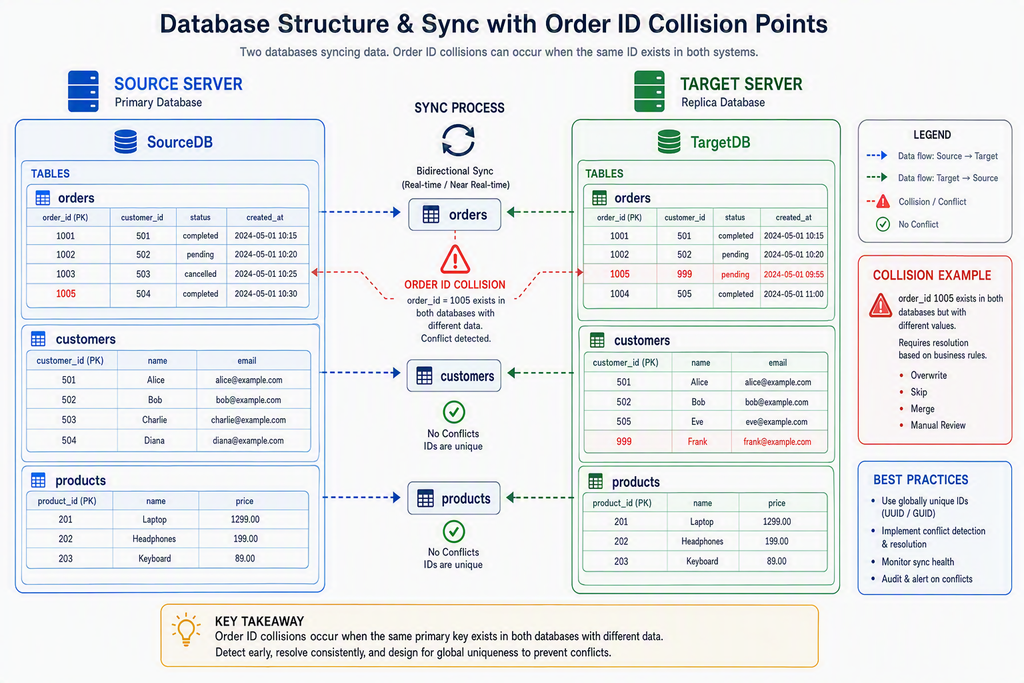
While migrating WooCommerce, the synchronization of user metadata often desynchronizes. If a new user registers on the old server while database tables are being imported to the new server, ID collisions occur. The target database attempts to write new transactions using existing IDs, resulting in database query failures or overwritten history.
Furthermore, payment gateway webhooks frequently break during domain propagation. Payment processors continue sending post-purchase notifications to the old IP address. When the old server receives these signals but the database has moved, order statuses remain stuck in pending states.
Key Takeaways
- Order ID collisions occur when both servers accept new writes simultaneously.
- Custom database tables must be extracted using native database utilities to prevent data structure corruption.
- Payment gateways require temporary endpoint configurations to handle webhook rerouting correctly.
| Vulnerability Point | Failure Impact | Prevention Method |
|---|---|---|
| User Meta ID Clashes | Overwritten orders or user profiles | Enforce strict read-only mode during transfer |
| Payment Webhooks | Orders remain unpaid or unfulfilled | Configure dual-receiver routing endpoints |
| Serialized Data | Broken layout designs and plugin states | Execute search-and-replace using WP-CLI |
Looking for Blazing-Fast NVMe Cloud Hosting?
ChemiCloud delivers LiteSpeed-powered 100% NVMe storage, free 24/7 migration, a free domain, and an industry-leading 45-day money-back guarantee.
Get Up to 70% Off ChemiCloud Plans Today →A Step-by-Step Checklist for Migrating WooCommerce
Successfully migrating WooCommerce requires a strict database freeze. The target site must remain locked to external checkouts while developers execute the system synchronization. Below is the technical path for transitioning database states without records dropping.
Start by identifying suitability boundaries. If your store processes more than ten orders per hour, manual migration via standard XML tools is not viable. You must use direct database access or command-line utilities. For lower-volume stores, a scheduled maintenance window during off-peak hours is sufficient.
Database Freeze Execution for Migrating WooCommerce
When migrating WooCommerce, you must implement a strict data freeze on the live site. Navigate to the hosting control panel of the source server. Locate the file manager, open the root directory, and open the wp-config.php file to insert maintenance mode variables.
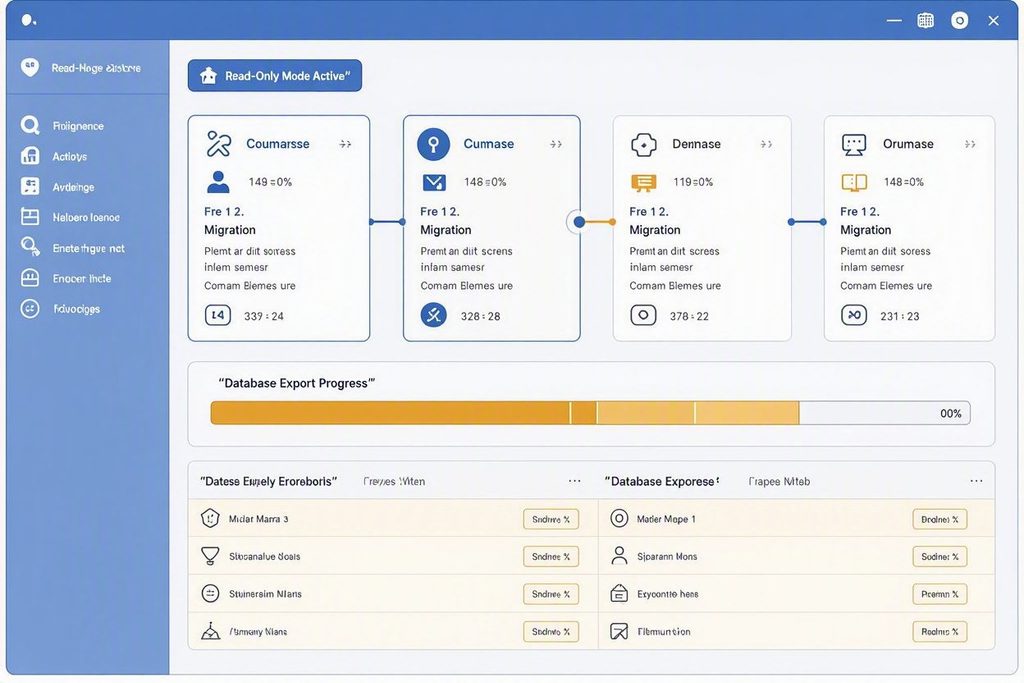
The click path for database extraction requires direct phpMyAdmin or SSH access. In phpMyAdmin, click on the active database name, select the export tab, and choose the custom export option. Select all tables, particularly custom metadata tables, and download the compressed SQL file.
Upload the SQL file directly to the new database using the command line to bypass PHP execution timeouts. Execute the search-and-replace command using WP-CLI to update domain references within serialized rows. This ensures that internal database references update cleanly without breaking active plugin configurations.
⚠️ Common Issue: Database Timeout During Import
Symptom: The database import halts mid-way, leaving tables incomplete and throwing a 504 gateway timeout error.
Likely cause: Large database sizes exceed the PHP maximum execution time limits set on the target hosting environment.
Resolution: Split the SQL file into smaller table groups or use WP-CLI via SSH to import the database directly, bypassing PHP limits.
Strategic Evaluation of Migration Approaches
An alternative to migrating WooCommerce manually is using a dedicated command-line database sync. Store operators must weigh the technical risks of direct command executions against the convenience of automated migration tools.
Pros
- Manual command-line migrations ensure complete control over custom database tables.
- Direct SQL transfers prevent serialized data corruption when using correct search-and-replace tools.
- Zero risk of plugin-induced execution timeouts.
Cons
- Requires intermediate command-line and database administration knowledge.
- Extends the duration of necessary store maintenance downtime.
- Higher potential for manual user error during file handling.
Choosing the right strategy for migrating WooCommerce depends on daily order volume. High-volume environments require automated delta-syncing systems that capture changes in real time. Low-volume stores can manage with clean, scheduled manual interventions.
Skip If: Small catalog stores with negligible transaction volumes that can afford minor manual order entry corrections.
Bottom Line
- Never execute migrations without establishing a read-only write freeze on the source database.
- Use command-line database utilities to avoid standard execution timeout limits on modern web hosting.
- Validate order records against payment gateway processor logs before opening the new site to public traffic.
Frequently Asked Questions
Is migrating WooCommerce safe during peak traffic hours?
No. Standard database migration operations require locking tables and disabling writes. Executing this during peak hours leads to transaction loss, failed checkout attempts, and frustrated customers. Always schedule migrations during your lowest traffic periods.
How do I prevent domain propagation delays from splitting my data?
Set your domain DNS Time-to-Live (TTL) value to 300 seconds at least 48 hours before starting the migration. This ensures rapid global updates. Keep the old site in read-only mode so any legacy traffic cannot create new transactions.
Do standard WordPress export tools preserve WooCommerce orders?
Standard XML exports are unreliable for complex stores. They often fail to capture custom tables created by payment processors, subscription engines, and shipping calculators. Use direct SQL database migration to ensure complete data retention.