

Migrating a website to a new host is a precision operation where timing determines success. Among the technical variables, managing DNS propagation during migration remains one of the most misunderstood stages. Website administrators often face unpredictable delays before the new server fully handles global traffic.
Understanding the behavior of DNS propagation during migration is critical to preventing extended downtime. Without proper preparation, visitors may experience broken links, database mismatches, or complete server timeouts. This analytical guide breaks down the exact mechanics of propagation timelines and offers a structured operational workflow.
Quick Summary
- DNS propagation typically takes anywhere from 4 to 72 hours, depending heavily on pre-existing Time-to-Live (TTL) values.
- Reducing TTL values to 300 seconds at least 24 hours before starting minimizes user-facing migration downtime.
- Keep the old server active in read-only mode during the transition to prevent data discrepancies.
Factors Influencing DNS Propagation During Migration
DNS propagation is not a singular, coordinated global event. Instead, it is a distributed update process where internet service providers gradually update their local domain caches. Because millions of servers must sync new IP mappings, several variables dictate the actual transition speed.
The primary control mechanism is the Time-to-Live setting configured at your domain registrar, which aligns with standard Internet Engineering Task Force guidelines. The TTL tells recursive resolvers how long to store your DNS records before asking for fresh data. A high TTL value directly extends the duration of DNS propagation during migration.
Additionally, geographical distribution and local ISP caching policies play massive roles. These operational rules, supported by ICANN educational resources, explain how global server networks coordinate record expiration. This behavior directly influences how global resolvers handle DNS propagation during migration.
Looking for Blazing-Fast NVMe Cloud Hosting?
ChemiCloud delivers LiteSpeed-powered 100% NVMe storage, free 24/7 migration, a free domain, and an industry-leading 45-day money-back guarantee.
Get Up to 70% Off ChemiCloud Plans Today →Expected Timeline for DNS Propagation During Migration
While some users will see your new site instantly, others may route to the old host for hours. To minimize DNS propagation during migration, administrators often plan migrations around low-traffic windows. This tactical approach reduces the immediate business impact of cached records.
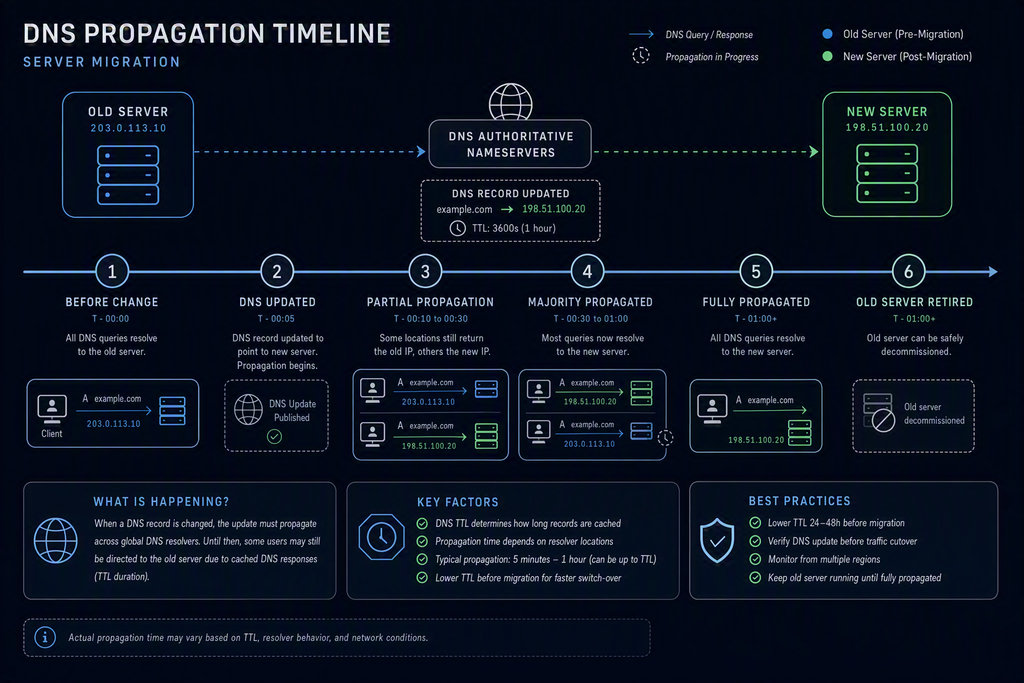
Standard industry benchmarks show that basic updates populate across major public resolvers within hours. However, complete global consistency rarely happens in a single moment. Though modern systems are faster, it remains a fundamental phase of DNS propagation during migration.
Key Takeaways
- Pre-migration planning is the single most effective way to compress the global update window.
- Local resolver caching behavior can override authoritative TTL values, causing isolated delays for users.
| Migration Phase | Recommended Action | Optimal Wait Time |
|---|---|---|
| Pre-Migration Setup | Lower TTL values to 300 seconds | 24 to 48 hours before cutover |
| Active Switchover | Update A and AAAA DNS records | Immediate execution |
| Post-Migration Audit | Monitor global propagation and logs | 24 to 72 hours post-cutover |
A Step-by-Step DNS Update Workflow
To execute a seamless transition, you must interact systematically with your domain registrar and hosting control panels. Following a precise path prevents configuration errors and minimizes data synchronization conflicts.
First, log in to your authoritative DNS management console. Locate the Zone File Editor or DNS Settings panel. Identify your primary A records, AAAA records, and any relevant CNAME aliases.
Next, edit the TTL values for these primary records. Reduce the TTL from standard values like 86400 seconds down to 300 seconds. Wait at least 24 hours to ensure this change distributes globally before moving files.
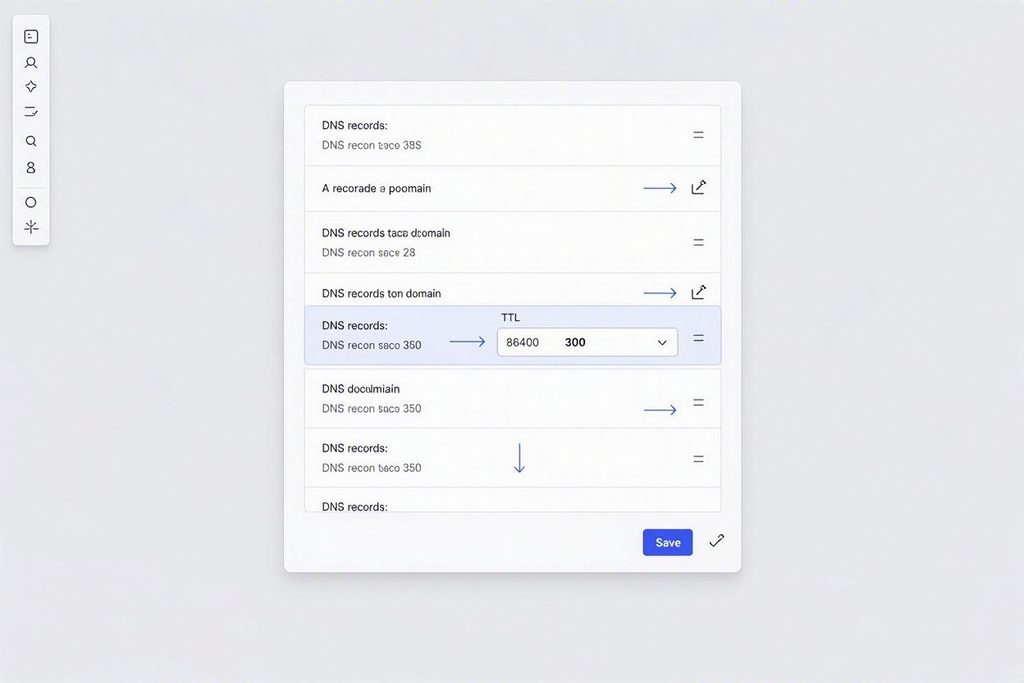
Once the migration window arrives, copy your site files and database to the new server destination. Update the DNS A record to point to the new hosting IP address. Since the TTL is low, most global systems will recognize the change within minutes.
⚠️ Common Issue: Visitors Still Landing on the Old Server
Symptom: Some users see outdated site files or get database errors, while others experience the newly migrated site.
Likely cause: External ISP resolvers are ignoring the short TTL setting, which frequently stalls DNS propagation during migration.
Resolution: Keep the database on your old hosting account in read-only mode to prevent split-brain data entry. Instruct confused users to clear their local browser cache or temporarily switch to public DNS servers.
Mitigating the Risks of Propagation Delay
Relying purely on automated updates without backup contingency strategies introduces operational risk. Technical teams must monitor the transition using global diagnostic platforms. Verification tools ensure that the switchover proceeds according to your schedule.
You can verify propagation progress by utilizing public lookup tools. These services query multiple global locations to confirm the active IP mapping. Proper planning ensures that DNS propagation during migration does not disrupt critical operational workflows.
Additionally, configuring temporary reverse proxies can bridge the gap for lagging visitors. If a user hits the old server, the proxy routes the request to the new host. This advanced approach guarantees zero-downtime performance during complex infrastructure changes.
Bottom Line
- Never decommission your old hosting account immediately after updating your DNS records.
- Utilize global DNS testing platforms to verify that key geographic regions have updated before shutting down old systems.
Skip If: You are migrating a basic staging environment or a non-critical personal blog with flexible downtime parameters.
Frequently Asked Questions
Can I speed up DNS propagation while it is already in progress?
No. Once the new records are published, you cannot force external ISP resolvers to clear their cache faster than the original TTL dictates. You must wait for the cached records to naturally expire across global DNS servers.
What is the minimum safe TTL value for a migration?
A TTL of 300 seconds is generally considered the safest minimum. Setting it lower can overload some DNS servers, causing them to default back to their own custom caching intervals.
Should I close my old hosting account immediately after migration?
No. You should keep the old hosting account active for at least 72 hours. This buffer ensures that any users still routing to the old IP do not encounter broken connection errors.